Cline is an AI model developed by Anthropic particularly for specific use cases in conversational AI. Cline is designed with an emphasis on coherence, efficiency, and responsibility in interactions, tailored to complex and high-stakes environments where precision and ethical behavior are crucial.
The main goal of Cline is to offer robust, safe AI that can handle more intricate tasks with a focus on minimizing errors and maintaining a high level of ethical standards, which makes it especially useful in professional, educational, and enterprise environments. It supports advanced conversational AI use cases, including long-form content generation, decision support, and detailed analysis.
Before you begin, make sure you’ve completed the following:
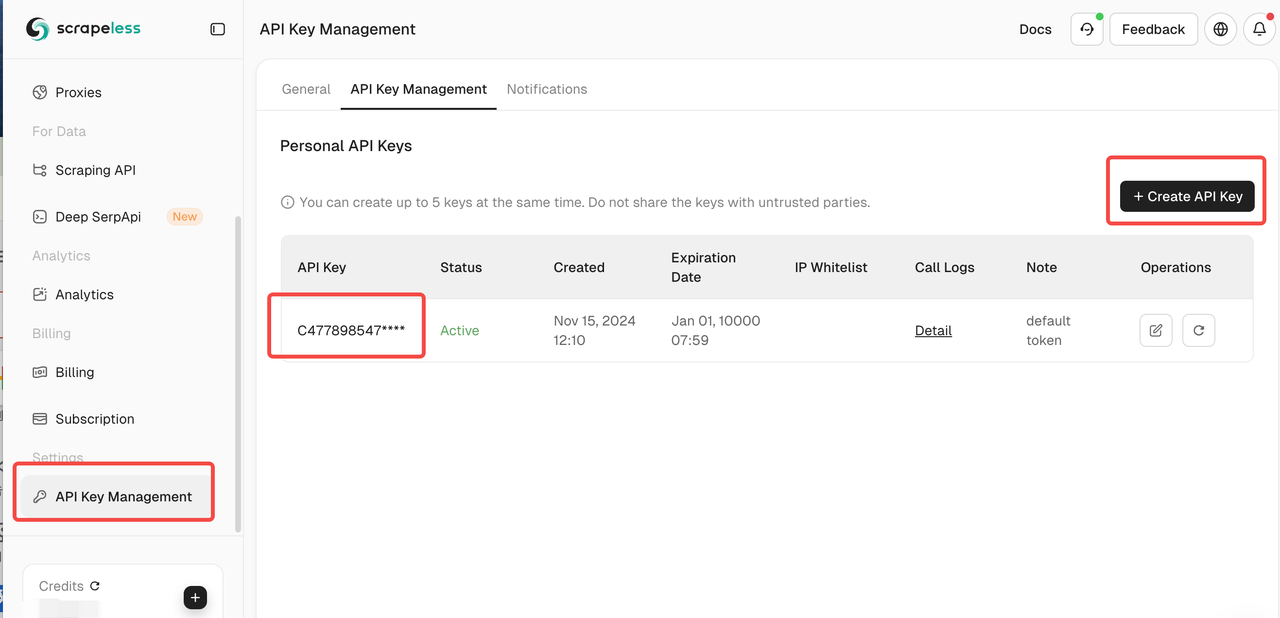
Head to the Cline download page by clicking the Cline link. But before proceeding, make sure VS Code is already installed on your device. If it’s not, follow the installation prompts first.
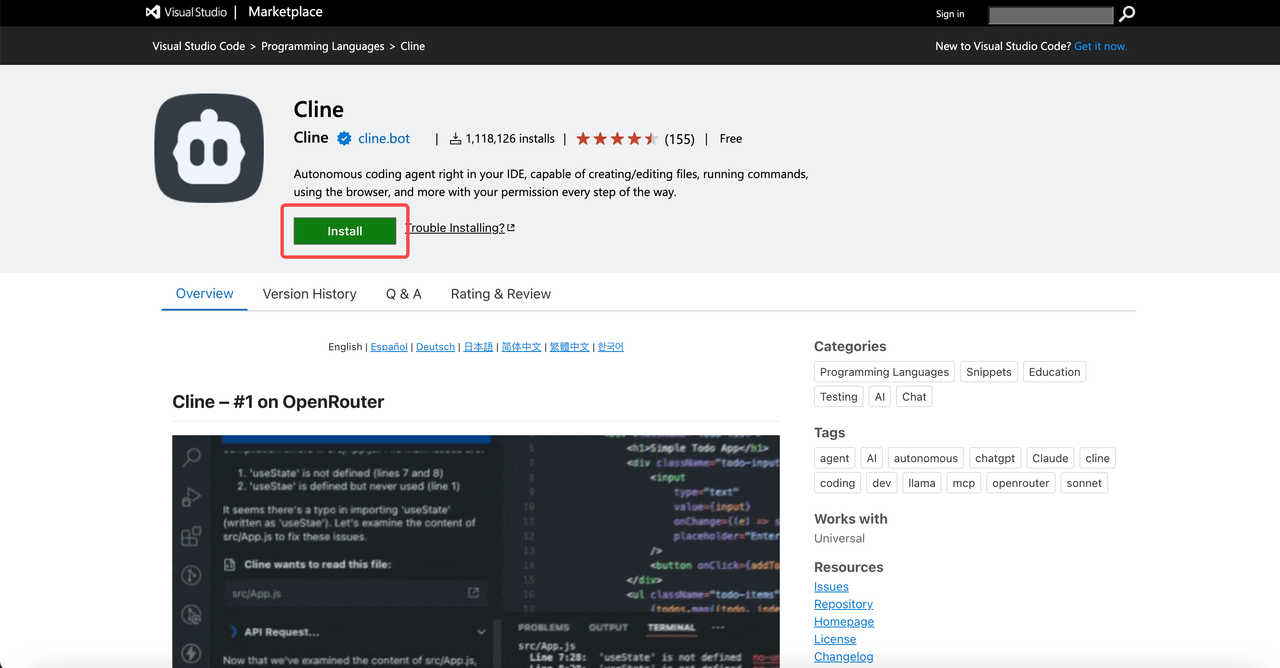
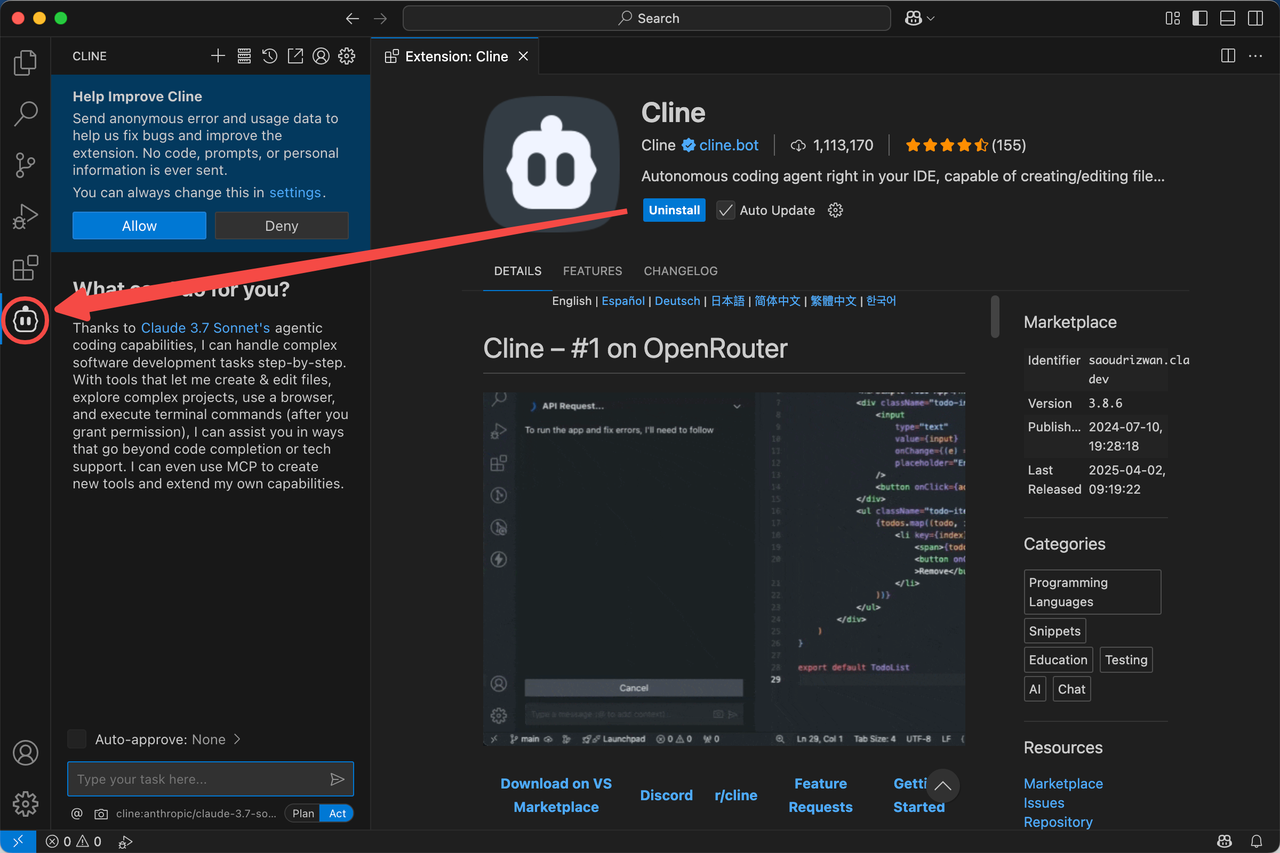
Click Install, and it will automatically open in VS Code. Then, click the Install button again within VS Code. Once you see the Cline logo on the sidebar, it means the installation is successful!
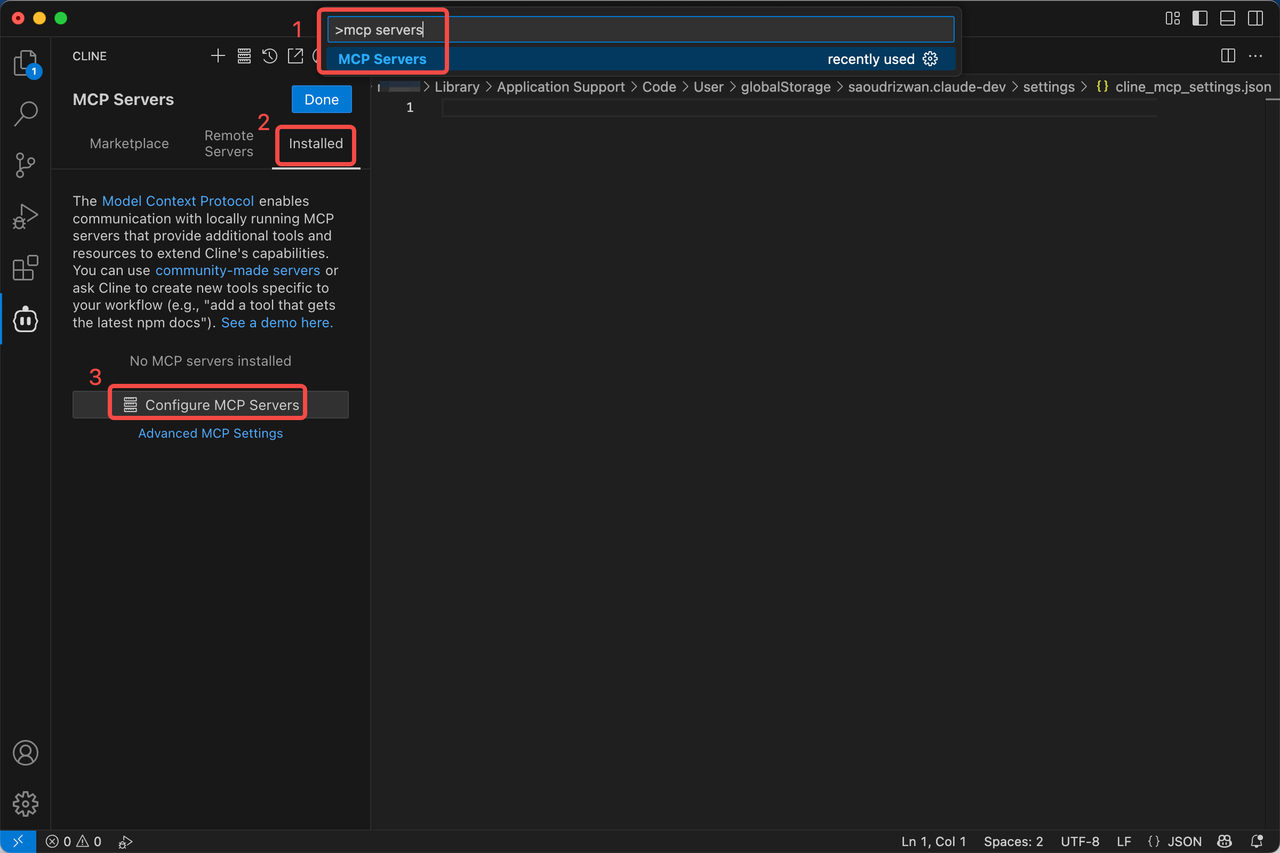
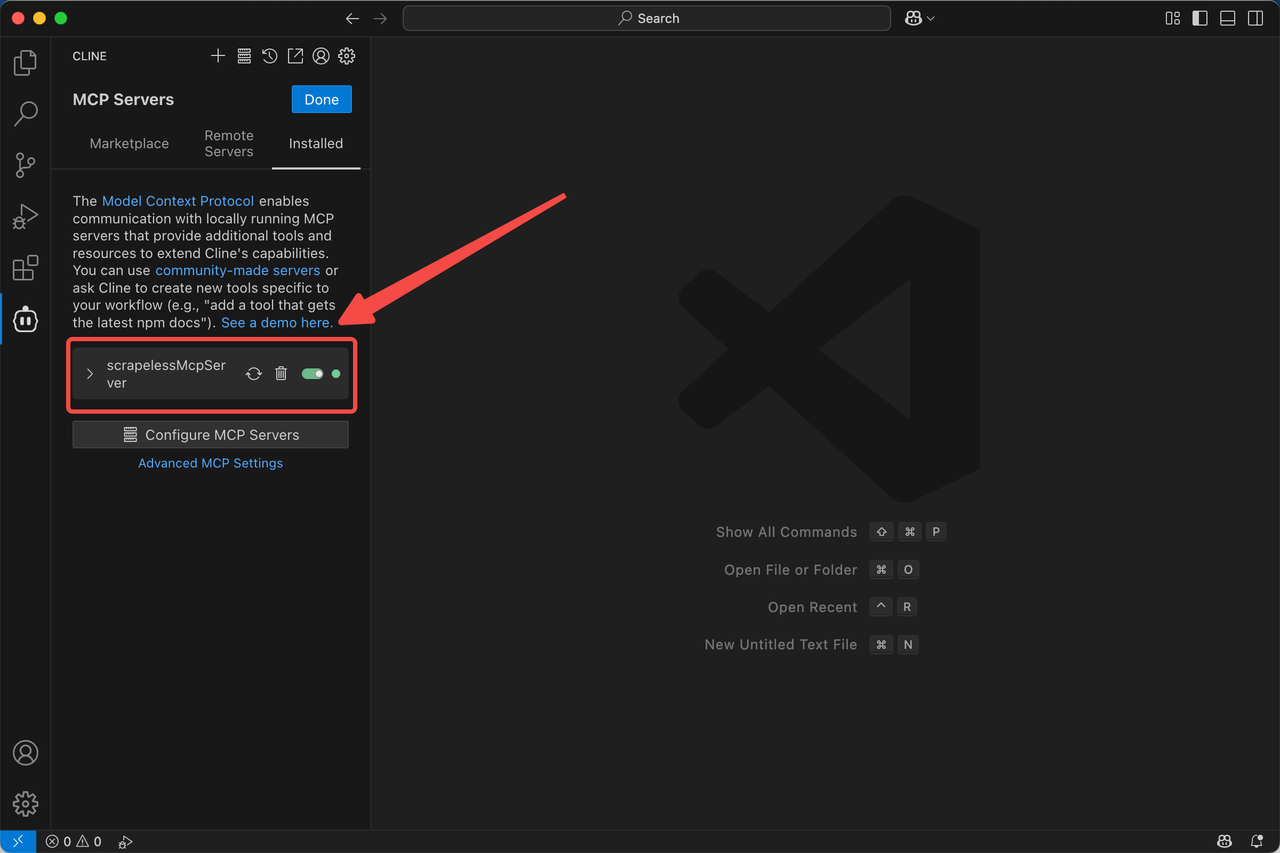
Remember the connection code we used earlier? Paste it into the configuration field and make sure to replace the placeholder with your actual Scrapeless API key:
{
  "mcpServers": {
    "scrapelessMcpServer": {
      "command": "npx",
      "args": ["-y", "scrapeless-mcp-server"],
      "env": {
        "SCRAPELESS_KEY": "YOUR_SCRAPELESS_KEY"  // replace with your API key
      }
    }
  }
}