Best Free Web Scrapers in 2026: 8 Tools Ranked by Use Case and Limits

Web Data Collection Specialist
TL;DR:
- "Free" comes in three flavors, not one. Open-source libraries (Scrapy, Playwright, BeautifulSoup) are free forever — you bring the infrastructure. Free-tier services (Scrapeless, Octoparse, ParseHub) cap usage but include hosting. Free credits (Apify, ScrapingBee) are time-boxed evaluations against a paid product.
- Open-source means free runtime, not free scraping. Scrapy alone is no charge; the proxies, headless browsers, anti-detection logic, and CAPTCHA handling around it are not. Budget for that BEFORE picking an open-source stack.
- Scrapeless leads the free-tier service category. New accounts include free Scraping Browser runtime, residential proxies in 195+ countries, and the MCP server — no infrastructure to provision, no proxy provider to integrate, no fingerprint randomization to write.
- Free no-code tools cap on the volume axis. Octoparse's free plan ships 10 tasks, 2 concurrent runs, and 50,000 exported rows per month; cloud extraction, IP rotation, and CAPTCHA solving stay paid. ParseHub's free plan caps pages per run and projects per account.
- Free credits are for testing, not production. $5 a month on Apify or 1,000 calls on ScrapingBee evaluates the product on a real workload; they do not scale to a price-monitor or a daily catalogue crawl.
- Free to start. New Scrapeless accounts include free Scraping Browser runtime — sign up at app.scrapeless.com.
Introduction: Why "free web scraper" is the wrong question
Search for "free web scraper" and the results blend three different things into one list: open-source code libraries, the lowest paid tier of commercial SaaS, and short evaluation credits on enterprise platforms. Each one is "free" in a different sense, with a different ceiling and a different real cost when the scrape outgrows the trial.
The Octoparse blog "Yes, there is such a thing as a free web scraper" framed this question well: a free scraper exists, but the limits matter more than the price tag. This guide goes further — it breaks the free landscape into the three flavors above, names the best option in each, and shows where each one hits its ceiling.
By the end you'll know which free tool fits a one-off research scrape, which fits a continuous price-monitor, and when "free" silently becomes more expensive than a $49/month plan because the engineering work to glue it together costs more than the subscription would.
The three flavors of "free"
1. Open-source libraries. Free forever, no account required. You write the code, you run the code, you host the code, you bring the proxies, you handle the anti-bot detection. Cost is zero in dollars and high in engineering time. Best for: developers building a long-term scraping pipeline.
2. Free-tier services. A commercial SaaS with a permanently free lowest tier. Usage is capped (rows, tasks, concurrent runs, exports), and certain features stay behind a paywall (proxies, scheduling, CAPTCHA solving). No infrastructure to set up; the cap is the only cost. Best for: non-coders who want to extract data without writing code, and developers who want to evaluate a service.
3. Free credits. A time-boxed evaluation against a paid product. Apify gives $5 a month, ScrapingBee gives 1,000 API calls one time. Once the credits burn, the scrape stops unless you upgrade. Best for: trying a specific commercial product against your actual workload before committing.
A real scraping job often spans two categories — open-source code calling a free-tier service for proxies, or a free no-code tool feeding a free credit-based API for the JS-heavy minority. None of the categories alone covers every use case.
What You Can Do With Free Web Scrapers
- One-off research scrapes — a journalist pulling 500 rows from a public directory; a student gathering thesis data.
- Personal price-monitors — watch a single product across two stores, daily check, manual review.
- Evaluating a paid product — burn the free credits on the workload you're actually planning to scale, then upgrade if the numbers add up.
- Learning web scraping — open-source libraries (Scrapy, BeautifulSoup) are the canonical entry point; tutorials are abundant.
- Internal tooling for small teams — site audits, broken-link checkers, sitemap crawls; volumes that fit inside a free tier.
- Prototype a workflow before paying — sketch the discover-extract-output flow on a free plan, then move to paid when shape is locked.
How this list is ranked
Five dimensions matter for a free scraper. Tools below are scored on each.
- Type of free — open-source, free-tier, or free credits.
- JavaScript rendering — does the free option handle React/Vue/Next.js pages, or just static HTML?
- Proxy access — does the free tier include any rotating IPs, or do you bring your own?
- Anti-detection handling — does the free tier handle fingerprinting, CAPTCHAs, and WAF challenges, or stop at a 403?
- Real ceiling — at what volume does the free option stop being free?
At a glance: free web scrapers in 2026
| Tool | Type of free | JS rendering | Proxy access | Anti-detection | Real ceiling |
|---|---|---|---|---|---|
| Scrapeless | Free-tier service | Cloud-side | Residential, 195+ countries | Included | Paid plan when runtime caps trigger |
| Scrapy | Open-source | Via middleware | Bring your own | Bring your own | Engineering capacity |
| Playwright | Open-source | Yes (drives browser) | Bring your own | Bring your own | Engineering capacity |
| BeautifulSoup | Open-source | No (parser only) | N/A (parser) | N/A (parser) | Static HTML scope |
| Apify | Free credits | Yes | 5 datacenter IPs | Per-actor | $5 credits/month |
| Octoparse | Free-tier service | Local browser only | Excluded | Excluded | 10 tasks, 50K rows/month, no cloud |
| ParseHub | Free-tier service | Yes | Excluded | Limited | Per-run page cap, public projects only |
| ScrapingBee | Free credits | Yes | Included | Included | 1,000 API calls total |
1. Scrapeless — best free-tier scraping service
Scrapeless Scraping Browser is a customizable, anti-detection cloud browser designed for web crawlers and AI agents. The free plan ships with the full Scraping Browser runtime, residential proxies in 195+ countries, the Scrapeless MCP server, and the SDK — no infrastructure to provision, no proxy vendor to integrate, no fingerprint randomization to write yourself.
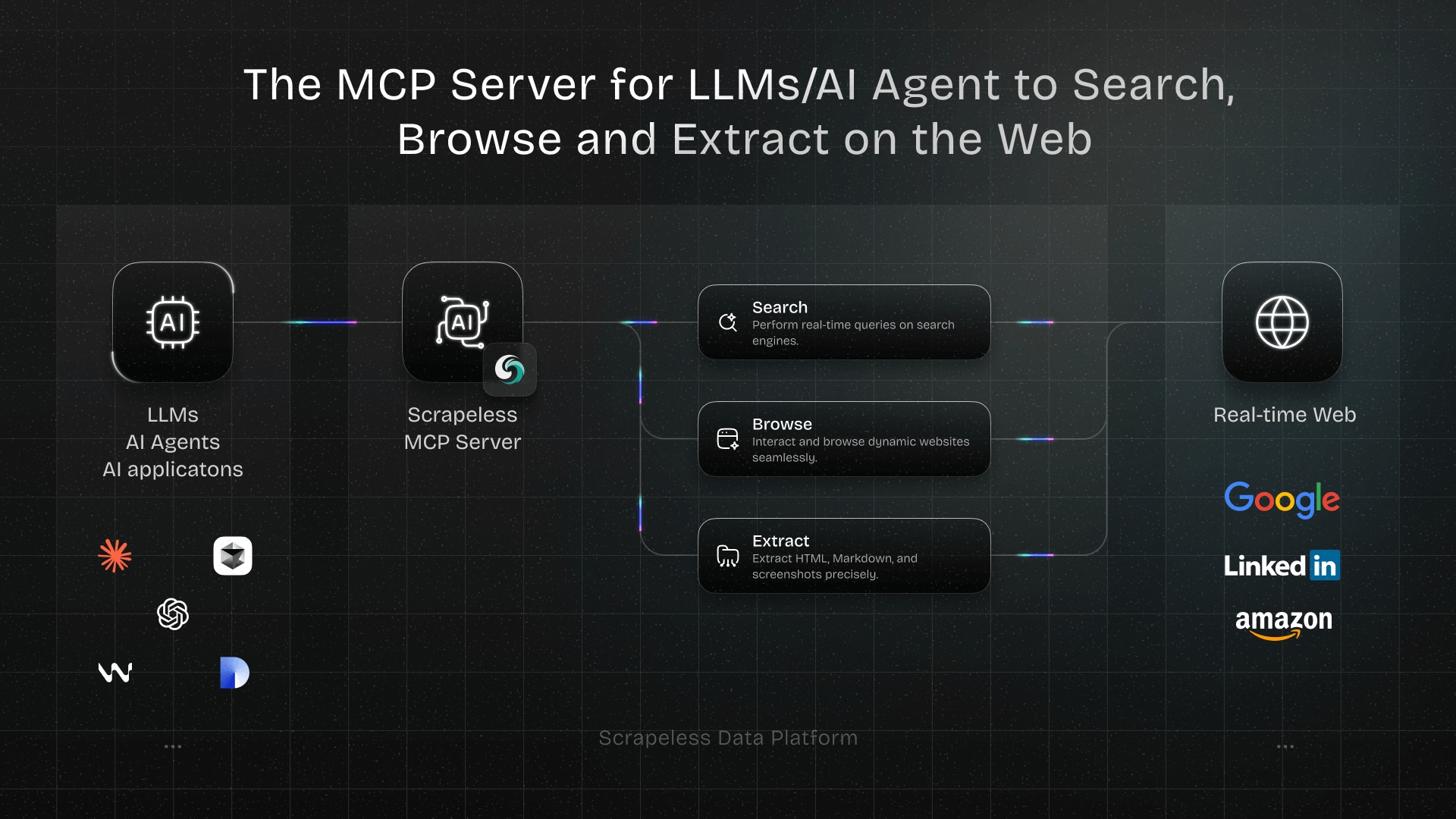
What's included on free: Scraping Browser runtime, residential proxies across 195+ countries, MCP server with 21 tools (google_search, scrape_html, scrape_markdown, scrape_screenshot, and 16 browser_* actions), Python and Node SDKs, CLI surface, and the agent skill for Cursor, Claude Code, and other MCP-aware clients.
Pros:
- One API key covers proxies, browser, and structured scraping. Nothing else to integrate.
- Cloud-side JavaScript rendering — React, Vue, Next.js apps render without local browser setup.
- Residential proxies with country pinning included by default.
- Anti-detection (fingerprint randomization, headless flags, JS evasion) handled cloud-side.
- Free-tier runtime is enough to evaluate the product on the workload that actually matters.
Cons:
- A managed service; engineers who want full code control over every request prefer Scrapy or Playwright.
- The free runtime is capped — paid plans start when the volume rises.
Best for: AI agents calling the MCP server to scrape on demand; non-trivial scrapes that need JS rendering and residential proxies but don't justify building the stack from scratch.
Sign up free at app.scrapeless.com · docs.scrapeless.com · Pricing · Scraping Browser product page
2. Scrapy — best open-source crawler framework
Scrapy is the canonical Python framework for building large web crawlers. It ships an async engine, pipelines for output (JSON, CSV, databases), middlewares for proxies and user-agents, and a project-scaffold convention that scales from a 50-line spider to a multi-domain crawl. It is open-source under the BSD license, no account required.
Pros:
- Mature and battle-tested — running in production at thousands of companies for over a decade.
- Excellent for breadth-first crawls of static HTML at scale.
- Pluggable middlewares for proxy rotation, throttling, and output formats.
- Strong community, abundant documentation, lots of tutorials.
Cons:
- No native JavaScript rendering — pair with Playwright or Splash for JS-heavy sites.
- No bundled anti-detection — bring your own proxies, fingerprint logic, and CAPTCHA handling.
- Learning curve: the project-scaffold approach is overkill for a 50-line scrape.
Best for: Python teams building a long-term crawler against static-HTML targets, where engineering capacity exceeds dollar budget.
3. Playwright — best open-source browser automation
Playwright is the modern open-source browser automation library from Microsoft. It speaks the Chrome DevTools Protocol, drives Chromium, Firefox, and WebKit, supports sync and async APIs in Python and Node, and ships with auto-wait, network interception, and visual-testing primitives. Free under Apache 2.0.
Pros:
- Full JavaScript rendering — every modern SPA framework works because it's a real browser.
- Async API is the canonical async-Python approach for browser automation.
- Cross-browser (Chromium, Firefox, WebKit) — useful when a site fingerprints by engine.
- Active maintenance, frequent releases, deep Microsoft backing.
Cons:
- Heavy: each browser instance burns RAM. Local infrastructure becomes a constraint past ~10 concurrent browsers.
- No bundled anti-detection. Stealth plugins exist but lag behind the cat-and-mouse cycle.
- Proxy support is per-context; rotating residential IPs requires a proxy provider on top.
Best for: Developers who need real-browser rendering and are willing to host the runtime themselves. Pairs naturally with a managed cloud browser (like Scrapeless) when local capacity runs out.
4. BeautifulSoup — best open-source HTML parser
BeautifulSoup is the classic Python HTML parsing library. It does not fetch pages — it parses what requests, httpx, or aiohttp already fetched. CSS-selector and XPath-like navigation, forgiving handling of broken HTML, MIT licensed.
Pros:
- Tiny dependency, near-zero learning curve.
- Pair with
requestsfor the simplest possible Python scrape (~10 lines). - Best-in-class for messy, hand-written HTML.
Cons:
- Parser only — does not fetch pages, does not render JavaScript, does not handle proxies or anti-bot.
- For anything beyond static HTML, you bolt on a separate fetcher and a separate renderer.
Best for: Quick scrapes of static HTML pages; the parsing step inside a larger pipeline that handles fetching elsewhere.
5. Apify — best free credits for evaluation
Apify is a managed scraping platform with a marketplace of pre-built scrapers ("actors") and a code SDK. The free plan ships $5 in credits each month, charged against compute units at $0.20 per CU; 1 GB of RAM-hour is the metering unit, and 5 datacenter IPs are included. Unused credits do not roll over.
Pros:
- The pre-built actors are an instant scraper for popular sites — Amazon, Google Maps, Instagram, LinkedIn — without writing code.
- The Crawlee SDK (Apify's open-source library underneath) is a strong Node/Python framework for custom crawlers.
- $5 a month is enough to evaluate one or two real scrapes per billing cycle.
Cons:
- $5 burns quickly on a JS-heavy site — a Puppeteer actor at 1 GB RAM eats the budget in single-digit hours.
- 5 datacenter IPs is not residential — sites with anti-bot stacks will block them.
- No rollover; an unused $5 disappears at the end of the cycle.
Best for: Evaluating a pre-built actor against your actual target before subscribing; trying Crawlee on a real workload.
6. Octoparse — best free no-code visual scraper
Octoparse is a Windows/macOS desktop app that builds scrapers by visually pointing and clicking on a page. The free plan ships 10 tasks, 1 device, 1 user, 2 concurrent local runs, the last 5 runs in history, and export caps of 50,000 rows per month with up to 10,000 rows per single export. Excel, CSV, JSON, HTML, and XML output. Database exports to MySQL, SQL Server, PostgreSQL, and Oracle.
Pros:
- True no-code — non-developers can build a working scraper in minutes.
- "Free forever," no credit card required.
- Local extraction works without a cloud account.
- Export to common database engines is included even on the free plan.
Cons:
- Cloud extraction, IP rotation, residential proxies, CAPTCHA solving, scheduling, monitoring, and API access are all paid-only.
- Local-only execution means your laptop runs the scrape; close the lid and the run stops.
- The 10-task cap is per-account and counts every saved workflow.
- 50,000 rows/month is enough for personal projects; a serious price-monitor outgrows it in a week.
Best for: Non-developers exporting publicly visible data from a handful of sites on a manual schedule.
Get your API key on the free plan: app.scrapeless.com
7. ParseHub — runner-up no-code visual scraper
ParseHub is a desktop-app no-code scraper similar to Octoparse, with a free tier that includes a small number of public projects and a per-run page cap. Cloud runs are limited; scheduling, IP rotation, and advanced features stay paid. Exact current limits are on the ParseHub site.
Pros:
- Point-and-click workflow; no code required.
- Browser-based runtime renders modern JS sites.
- Cleaner UI than most desktop scrapers; lower learning curve.
Cons:
- Public projects on the free tier — saved scrapers are visible to other ParseHub users.
- Per-run page caps mean a single workflow stops mid-crawl on larger sites.
- Cloud runs and scheduling are paid.
Best for: Non-developers who want a slightly more polished UI than Octoparse and are scraping a handful of pages per workflow.
8. ScrapingBee — best free API trial
ScrapingBee is a hosted scraping API: send a URL, get rendered HTML back. JS rendering, residential proxies, and CAPTCHA handling are bundled. The free trial ships 1,000 API credits one time — no credit card, no time limit on consumption, but no monthly refill.
Pros:
- The simplest API surface in the category:
GET https://app.scrapingbee.com/api/v1/?api_key=...&url=.... - JS rendering and residential proxies bundled; no separate proxy integration.
- 1,000 credits is enough to evaluate against a real site or two.
Cons:
- One-time credit grant — once spent, no refill. The free tier is a trial, not a permanent free plan.
- A credit isn't always one API call — premium proxies and JS rendering multiply the cost.
- No marketplace of pre-built scrapers; you write the parsing logic yourself.
Best for: Developers evaluating a hosted scraping API on a small, real workload before subscribing.
When to upgrade from a free option
The five triggers that signal "free has stopped being cheap":
- The cap is the bottleneck. When the 50,000-row Octoparse export, the 1,000-credit ScrapingBee allowance, or the $5 Apify budget runs out mid-workflow every cycle, the engineering overhead of working around the cap costs more than the next paid tier.
- JS rendering is the new requirement. A static-HTML scraper (BeautifulSoup, Scrapy without middlewares) that worked last quarter starts returning empty
<div id="root">shells. Either bolt on Playwright (engineering time) or move to a service with cloud-side rendering. - Blocks start landing. 403 responses, CAPTCHAs, and Cloudflare interstitials appear. Residential proxies and anti-detection enter the requirements list; the open-source-only stack now needs a paid proxy provider on top.
- Schedules need to be reliable. A laptop running Octoparse overnight is not a production schedule. Cloud-hosted runs and monitoring are paid-tier features at every no-code vendor.
- Multiple teammates need access. Free tiers cap at 1 user / 1 device. As soon as two people share a scraper, the free seat ceiling kicks in.
Picking the right free option for your scrape
A short decision guide:
- Non-developer, occasional research scrapes → Octoparse free plan.
- Non-developer, slightly bigger workflows → ParseHub free plan.
- Python developer learning the basics → Scrapy + BeautifulSoup.
- Python or Node developer needing JS rendering → Playwright (and a managed proxy/browser for production).
- AI agent scraping on demand → Scrapeless free plan with the MCP server.
- Evaluating a marketplace of pre-built scrapers → Apify free credits on the specific actor you'd buy.
- Evaluating a hosted API surface → ScrapingBee free trial against your actual target URLs.
- Need residential proxies, JS rendering, and anti-detection on a free plan → Scrapeless. Open-source alternatives require gluing three or four providers together.
Conclusion: free is a starting point, not a strategy
The honest read on free web scrapers: the open-source libraries are the strongest "free forever" choice if engineering capacity is cheap; managed free tiers (led by Scrapeless) are the strongest choice when the engineering capacity isn't there; free credits are an evaluation tool, not a production tier.
Pick the type of free that matches your situation, run the scrape, watch where the ceiling lands. When the ceiling lands inside the workflow that matters, upgrade — or accept that the workflow stops at the ceiling.
For the next step in the comparison series, the Best Zillow Scrapers in 2026 listicle walks the same eight-tool format against a single high-value real-estate target and shows how the ranking shifts when the workload is site-specific.
Ready to Build Your AI-Powered Data Pipeline?
Join our community to claim a free plan and connect with developers building scraping pipelines: Discord · Telegram.
Sign up at app.scrapeless.com for free Scraping Browser runtime and adapt the patterns above to the sites, regions, and volumes your pipeline needs. Pricing details at scrapeless.com/en/pricing; the Scraping Browser product page is at scrapeless.com/en/product/scraping-browser.
FAQ
Q: Is using a free web scraper legal?
The scraper itself is a tool, like a browser. Legality depends on what you scrape, from where, and under what terms. Publicly visible data is generally accessible; site terms of service, regional privacy laws (GDPR, CCPA), and copyright apply. Consult counsel for high-stakes use cases. Scrapeless accesses publicly available data only.
Q: What's the difference between open-source and free-tier?
Open-source (Scrapy, Playwright, BeautifulSoup) means the source code is free under a permissive license — you can use, modify, and ship it with no fee, but you also host and operate it yourself. Free-tier (Scrapeless, Octoparse, ParseHub) means a commercial SaaS gives you a permanent capped free plan — you pay nothing as long as you stay under the cap, and the vendor hosts the runtime. They're not interchangeable.
Q: Can a free web scraper handle anti-bot protection?
Some can, most cannot. Free-tier services that bundle residential proxies and fingerprint randomization (Scrapeless, ScrapingBee on credits) handle the common anti-bot stacks. Open-source libraries do not handle anti-bot by default — you bolt on proxies, headers, and fingerprint logic yourself.
Q: Do free tiers include residential proxies?
Scrapeless and ScrapingBee include residential proxies on the free tier. Octoparse, ParseHub, and Apify do not — datacenter or no proxy on free; residential proxies enter on paid tiers. Open-source libraries include no proxies at all; you bring your own provider.
Q: Can a free scraper handle JavaScript-rendered pages?
Yes — but only some categories. Playwright, Puppeteer, and Selenium are browser automation tools, so they render JavaScript by definition. Scrapeless renders cloud-side. ScrapingBee renders via API. Scrapy and BeautifulSoup do not render JavaScript without a browser bolted on; Octoparse's free plan renders locally in its embedded browser but not in the cloud.
Q: How do I know when to stop using free and upgrade?
When the workaround for the free ceiling costs more than the next paid tier. If you spend half a day every week chunking exports under the 50K row cap, the paid plan is cheaper than the time. If you're glueing three free tools together to recreate what a $49 service does in one API call, the service is cheaper than the integration cost. The check is engineering hours vs subscription price, not raw dollars.
At Scrapeless, we only access publicly available data while strictly complying with applicable laws, regulations, and website privacy policies. The content in this blog is for demonstration purposes only and does not involve any illegal or infringing activities. We make no guarantees and disclaim all liability for the use of information from this blog or third-party links. Before engaging in any scraping activities, consult your legal advisor and review the target website's terms of service or obtain the necessary permissions.